Organize Your
AI Characters
Locally on your machine. Find them fast. The Character Dashboard brings order to your AI-generated images – whether from Midjourney, Freepik, Flux or Kling.
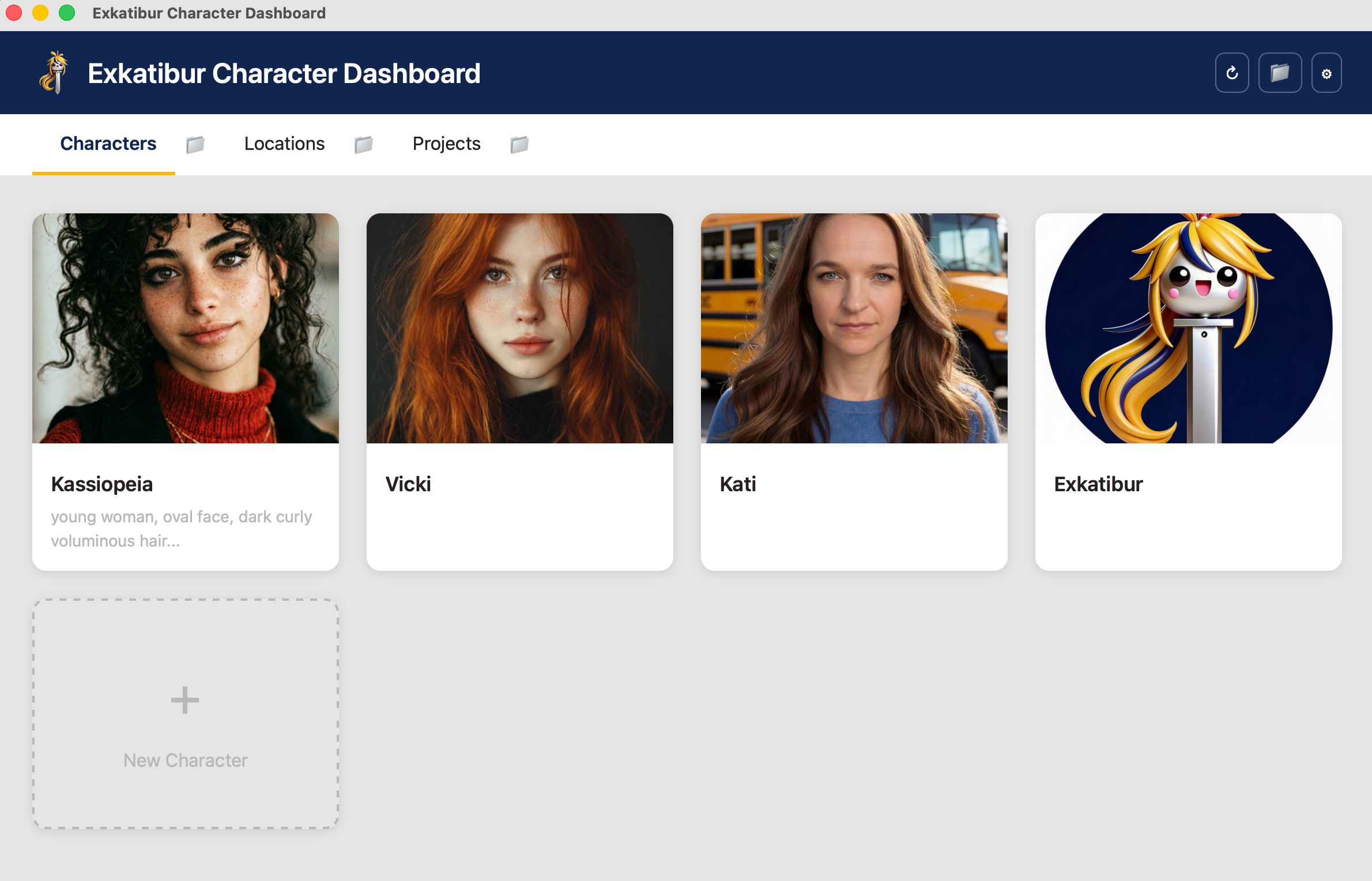
Locally on your machine. Find them fast. The Character Dashboard brings order to your AI-generated images – whether from Midjourney, Freepik, Flux or Kling.
Your downloads folder is overflowing with AI-generated images. Where was Kassiopeia again?
The perfect prompt for your character? Buried somewhere in a chat history.
Your character looks different every time because you can't find the references.
The Character Dashboard organizes your AI images locally on your Mac. Save your prompts, jump directly to folders and find everything instantly.
Jump directly to the right folder in Finder and drop your images there.
Copy short prompts to your clipboard with a single click.
Your images stay on your Mac. No cloud, no uploads.
Organize characters, locations and link them in projects.
Download the Character Dashboard for free and bring order to your AI images.
Download for macOS